
Chrome extension for Linear · free and open source
Open your Linear and see what's next.
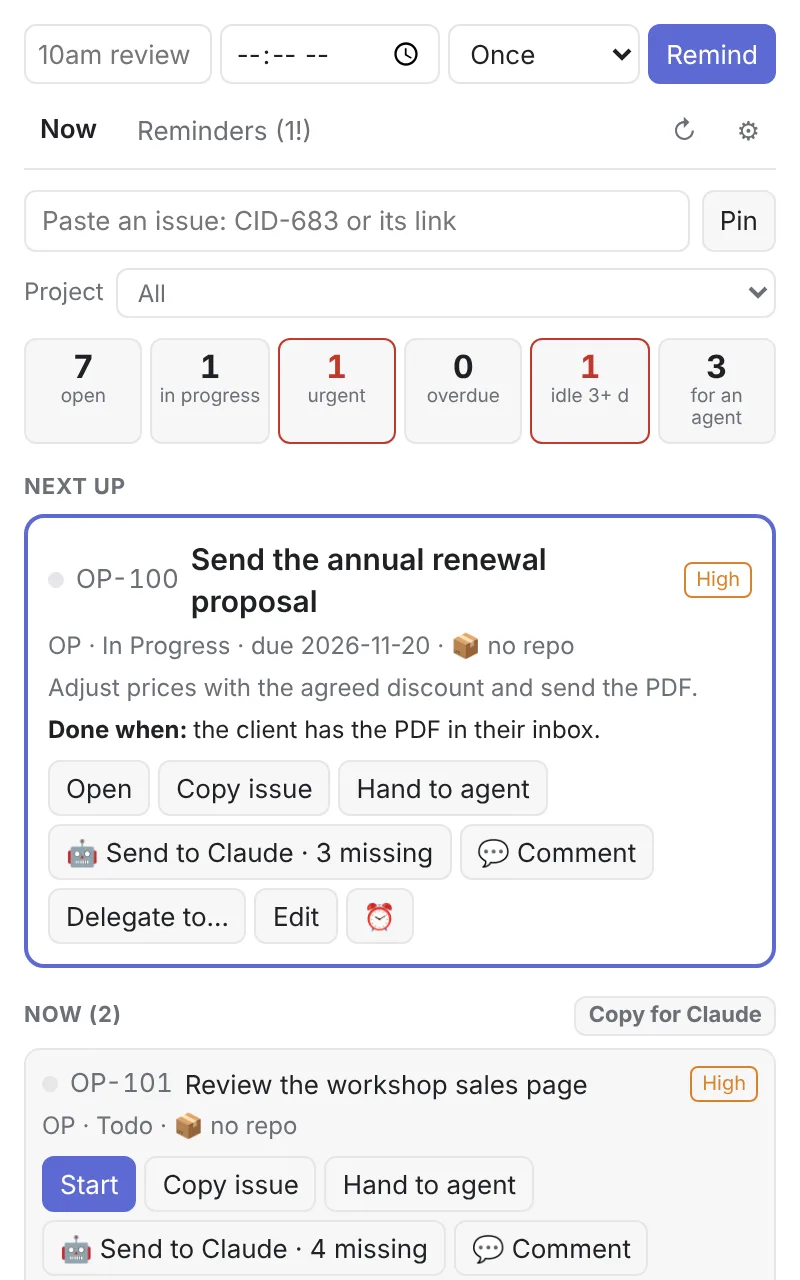
¿Qué sigue? ("What's next?") shows your Linear numbers at a glance (open, in progress, urgent, overdue), puts your most urgent issue on top, lets you move it without opening Linear and, in one click, hands it to Claude, which leaves you the PR to review.
Free, no new account.
Why I built it
97 issues waiting on me.
On November 5 I counted what I had in Linear: 97 issues waiting on me. 57 in external review, 6 in internal review and 34 ready for me to do. Opening Linear had become work.
I built this extension to tell me which one is next, to move each issue from its card and to hand Claude whatever does not need my judgment.
For an agent
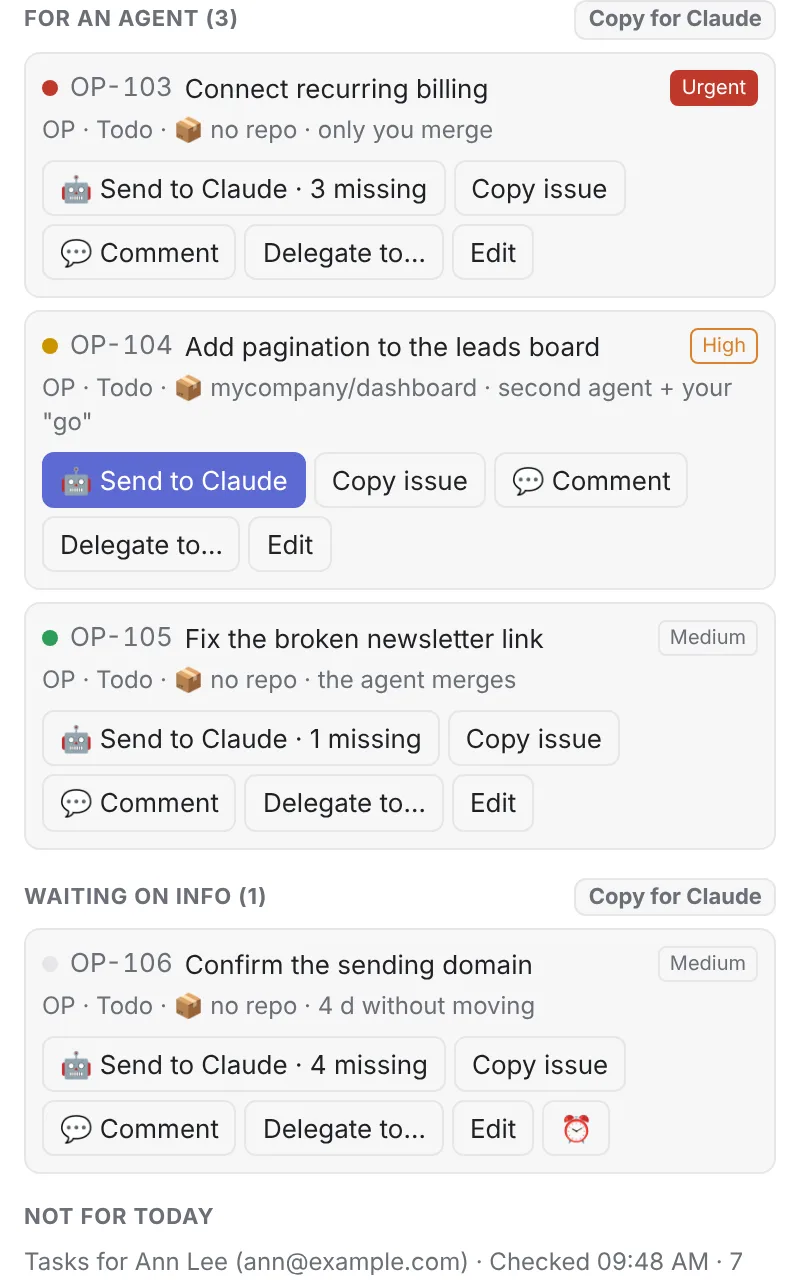
Every issue says who merges.
What an AI agent can take shows up apart, with its risk color. Green: the agent merges. Yellow: a second agent reviews and you say "go". Red: only you. Anything that touches money or clients never stays with the agent.
Send to Claude
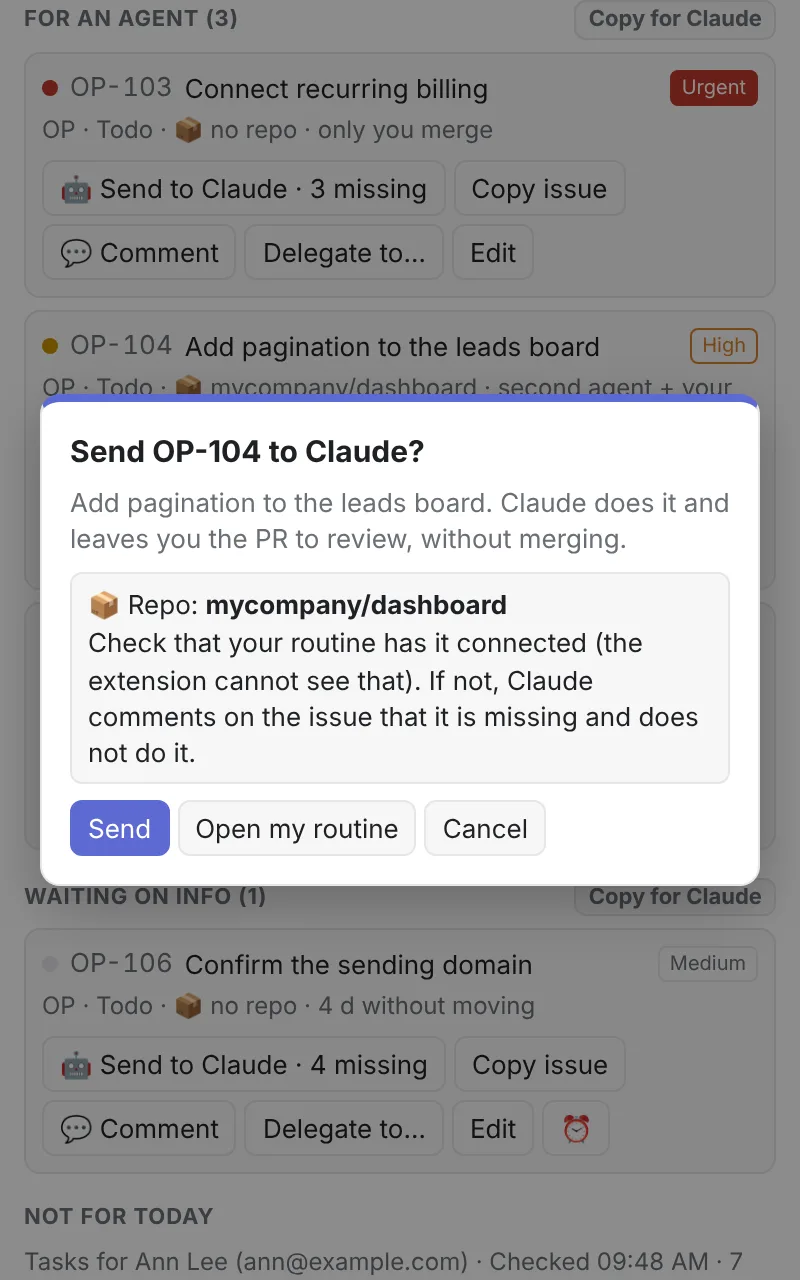
One click and Claude leaves you the PR.
With your own Claude Code routine, the button passes it the issue. Claude works in your repo, opens the PR and leaves it for review, without merging. If the issue is missing something (the color, the repo or the "Done when"), the extension tells you what and you fix it right there.
Reminders
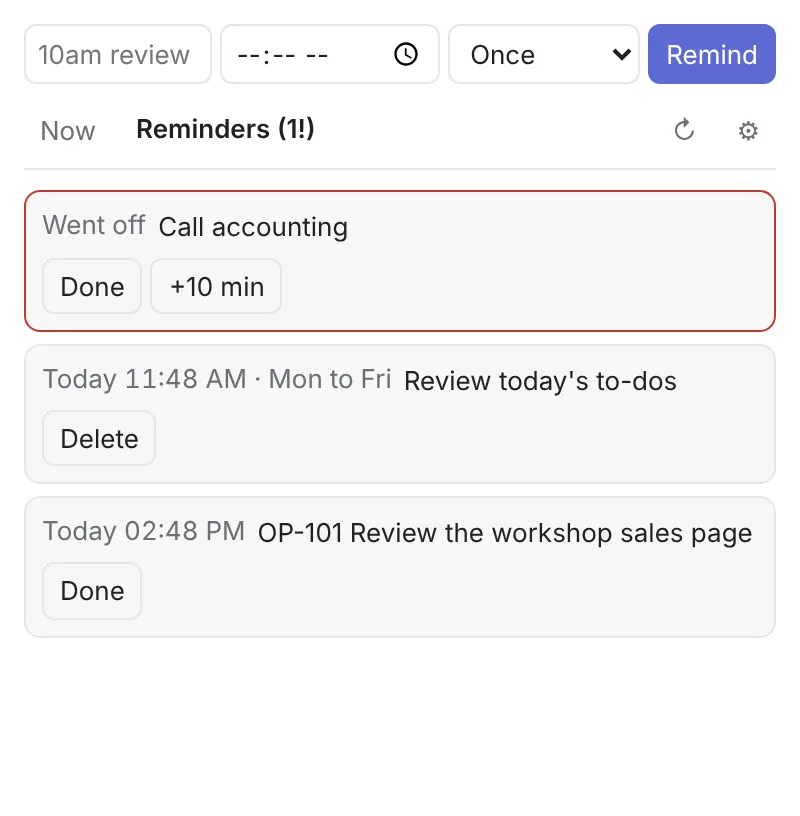
Reminders written the way you talk.
"10am review proposal", "at 4:30pm call", "in 30 min send email". Once, daily or Monday to Friday. They go off as a Chrome notification you can snooze 10 minutes or mark done.
How to install it
Three steps and you see your day.
- 01
Install it
From the Chrome Web Store: "Add to Chrome" and pin it from the 🧩 menu. It updates itself.
- 02
Paste your Linear API key
In Linear: Settings → Security & access → Personal API keys. Paste it in the extension Settings and it stays in your Chrome.
- 03
Set up your Linear
"Set up my Linear" creates the labels it sorts by: ready for a human, ready for an agent, needs info and the risk colors. The ones you already have are not touched.
Open source and privacy
Read it, change it, make it yours.
The extension and the Claude routine are open source. Your API key is stored only in your Chrome and the extension talks straight to Linear; to Claude, only if you add your routine token. No analytics, no ads. What data it uses and how to delete it is in the privacy policy (in Spanish).
Questions
What people ask before installing it.
How much does it cost?
Nothing. The extension is free and open source (MIT license). You can read the code, change it and use it with your team.
Is it in English?
Yes. The interface follows your Chrome language, English or Spanish, and you can switch it in Settings. The Linear labels it creates keep their Spanish names (for example 🤖 listo-para-agente, "ready for an agent"), because the extension finds them by name.
Is it on the Chrome Web Store?
Yes. Install it from the store and it updates itself. If you loaded it from GitHub in developer mode before, remove that one and install the store version.
What data does it use?
Your Linear API key and your email, to bring your issues. Everything is stored in your Chrome. The extension talks to Linear and, only if you add your routine token, to Claude to send it the issue. No server in between, no analytics, no ads.
Do I need a Claude account?
For the extension alone, no. For "Send to Claude", yes: the issue is worked by a Claude Code routine that runs in your account and your repos. The guide walks you through it.
Who decides what gets merged?
You. Claude opens the PR and leaves it for review. The risk color of each issue says who merges, and red (payments, clients, credentials) only you merge.
Does it work for my team?
Yes, each person with their own API key. With a shared key, what you change would show up in Linear under the key owner. From each card you can delegate an issue to a teammate.